
MiniFigureAI Guide
Turn Yourself into a Minecraft Character with AI
March 2026 · 5 min read
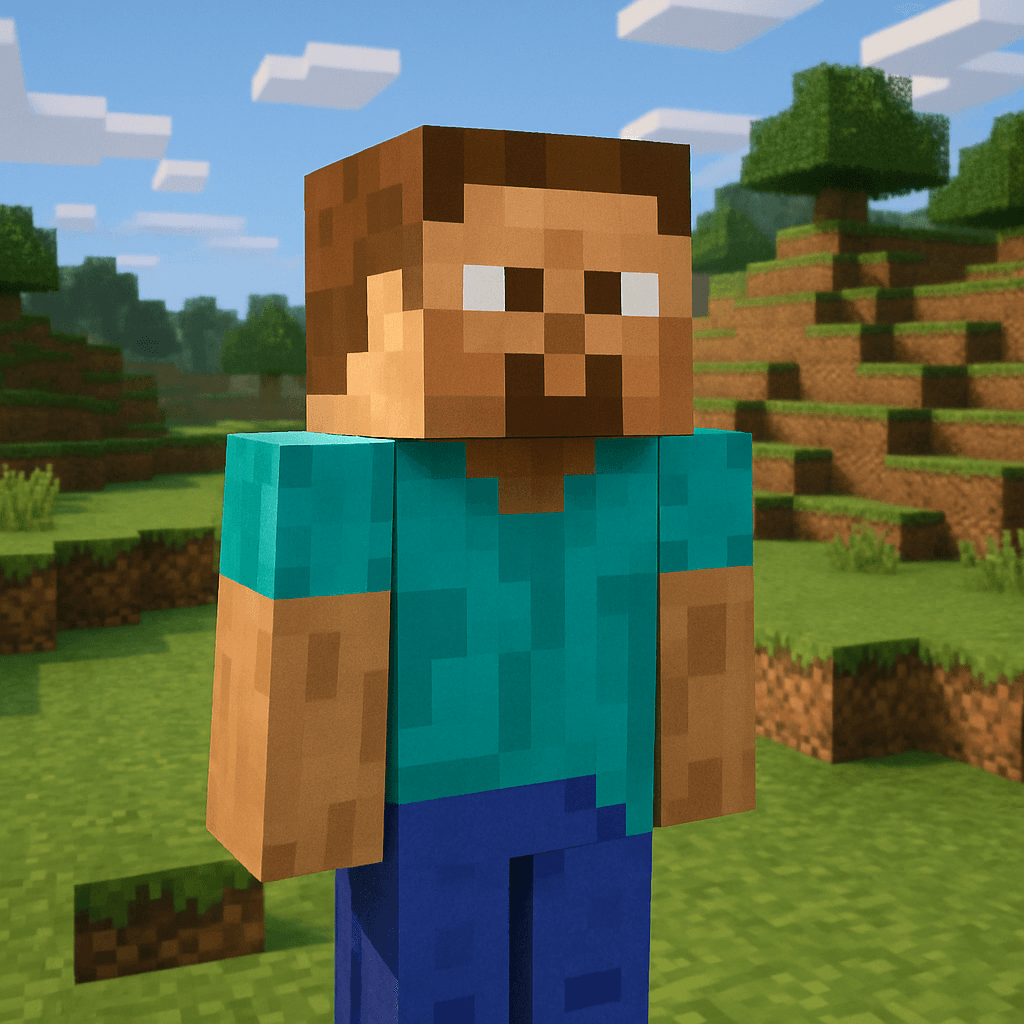
Minecraft is the best-selling video game of all time — over 300 million copies sold across every platform imaginable. Its blocky pixel art style is iconic and instantly recognizable, a cultural touchstone that spans generations of players. Now you can transform any photo into a Minecraft-style character with AI: a blocky 3D head, pixelated features, and a voxel terrain background straight out of the game.
MiniFigureAI's Minecraft character generator analyzes your photo — reading your facial structure, hair color, clothing, and expression — and reimagines every detail in classic Minecraft form. The result captures the essence of the game's aesthetic: cubic proportions, pixelated textures, and that unmistakable blocky charm. Whether you're looking for a minecraft skin from photo, a custom minecraft avatar maker result for your profile, or just want to see what you'd look like as a character in the world's most popular game, this is the fastest way to find out.
Takes 60 seconds. Free to try. No app to download, no account required for your first avatar.
What You'll Need
- A photo — a selfie, portrait, or group shot (JPG, PNG, or WEBP up to 30MB)
- A web browser (Chrome, Safari, Firefox, or Edge — any device works)
- About 60 seconds
Step-by-Step Guide
- 1
Go to minifigureai.com
Open your browser and navigate to minifigureai.com. No sign-up or account is required for your first free avatar — you can start immediately. The homepage has a prominent upload area ready to go. - 2
Upload your photo
Drag and drop a photo onto the upload area, click to browse your files, or on mobile tap the upload button to access your camera roll. Well-lit selfies or portraits with a clearly visible face produce the best Minecraft-style results. JPG, PNG, and WEBP files up to 30MB all work perfectly. - 3
Select the Minecraft style
In the style picker, choose "Minecraft" from the available options. This is the voxel character style that transforms your photo into that blocky, cube-proportioned look straight from the game. You can also browse 50+ other styles to compare — but for the classic Minecraft look, this is your pick. - 4
Wait about 30 seconds
Hit generate and let the AI work. The model analyzes your photo — reading your facial structure, hair color, skin tone, and clothing — and rebuilds every detail in Minecraft's voxel aesthetic. Most generations complete in 20–40 seconds. You'll see a progress indicator while it processes. - 5
Download and share your Minecraft avatar
Your Minecraft character avatar is ready. Download it as a high-resolution PNG, share it straight to social media, or save it to your MiniFigureAI dashboard if you've created a free account. The image is optimized for profile pictures, server icons, thumbnails, and digital use. Want to try a different style? Your uploaded photo stays available — just select another style and generate again. Try the Minecraft style now to see your blocky self.
Tips for the Best Results
- The AI creates blocky proportions from any photo. You don't need a perfectly framed shot — the model is designed to extract your key features and map them onto Minecraft's characteristic cube-based proportions. A standard selfie works great.
- Clothing details become pixelated textures. Minecraft characters are famous for their simple, pixelated torso designs. Bold colors, distinctive patterns, team jerseys, or graphic tees tend to translate especially well into the game's texture style — wear something with personality.
- Works with friends for multiplayer group shots. Generate Minecraft avatars for your whole squad. Upload a group photo to see everyone in voxel form — perfect for friend groups who play together, Discord servers, or YouTube thumbnails for your Minecraft channel.
- Distinctive accessories get the blocky treatment. Glasses, hats, scarves, and other defining features are translated into Minecraft's aesthetic — angular, pixelated, and unmistakably in-game. Accessories you're known for will show up in your avatar.
- Compare with Pixel Art for a 2D retro alternative. If you prefer a flat, classic 8-bit or 16-bit look over the 3D voxel Minecraft style, try the Pixel Art style side by side. Both capture a retro gaming aesthetic — but in distinctly different ways.
Minecraft style — blocky voxel character with terrain background
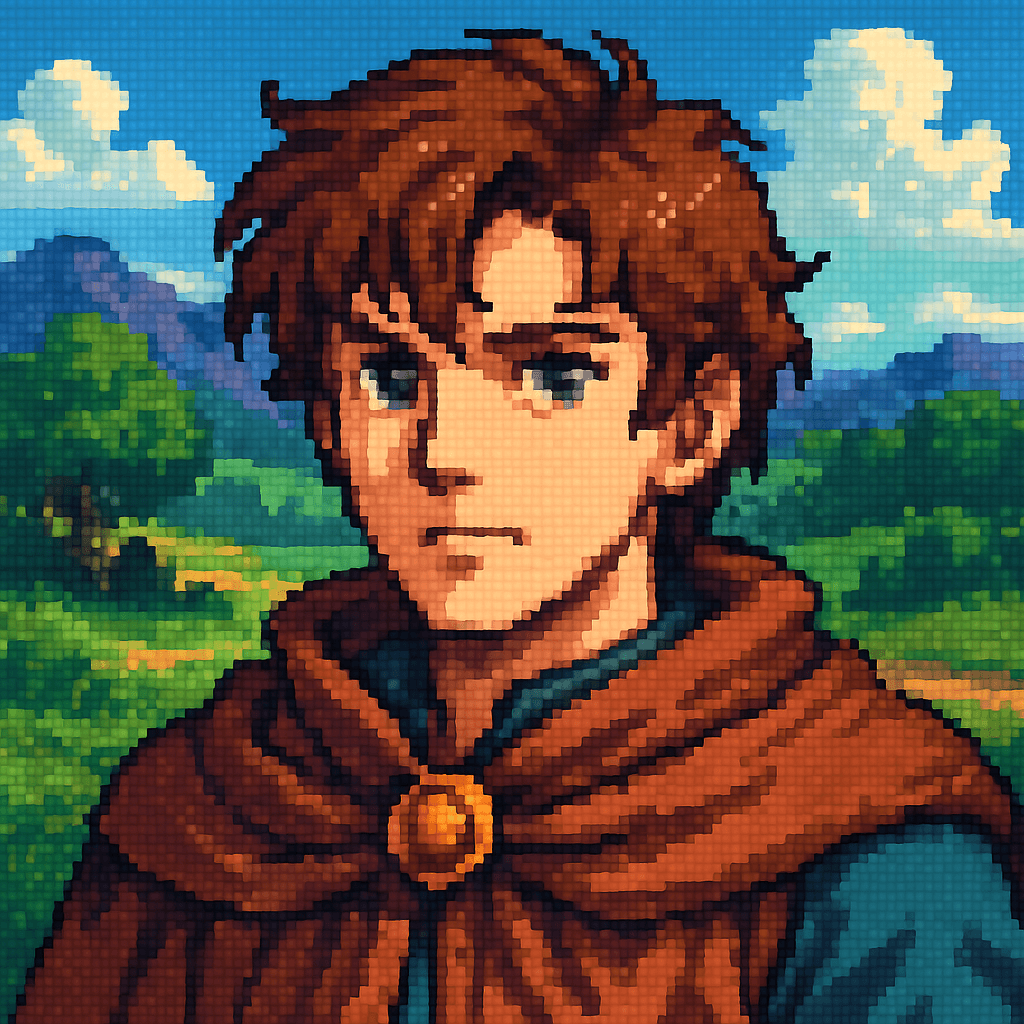
Pixel Art style — 2D retro alternative to the voxel look
The Minecraft Art Style
Minecraft's visual identity is defined by one core idea: everything is made of cubes. Characters — called "mobs" in-game — have cubic bodies, square heads, and blocky limbs. There are no curves, no gradients, no smooth edges. Every surface is a flat, pixelated texture rendered in a limited color palette. It's a deliberate aesthetic choice that made the game immediately distinctive when it launched in 2011, and it remains just as iconic today.
When MiniFigureAI generates your Minecraft avatar, it stays true to this visual language:
- Cubic body proportions — your figure is remapped to the characteristic Minecraft silhouette: wide square head, rectangular torso, blocky arms and legs
- Pixelated facial features — eyes, nose, mouth, and hair are rendered as low-resolution pixel textures, exactly as they appear on an actual Minecraft skin
- Voxel terrain backgrounds — the scene is set against classic Minecraft environments: grass blocks, stone, dirt, or wood — the landscapes players have spent thousands of hours building
- Limited color palette — colors are simplified and quantized to match the game's characteristic look, giving the image that unmistakable in-game feel
The result is a portrait that looks like it was pulled directly from a screenshot of the game — except it's you.
Minecraft Avatar Use Cases
Once you have your Minecraft-style avatar, there are more ways to use it than you might expect:
Server Profile Pictures
On Minecraft servers, your skin is your identity. A custom AI-generated Minecraft-style portrait makes a perfect profile picture for your server account, Discord, or forum presence — showing off your personality in the game's own aesthetic before you even log in.
YouTube and Twitch Thumbnails
Minecraft content is consistently among the most-watched gaming content on YouTube and Twitch. A custom Minecraft-style avatar of yourself is instantly compelling as a thumbnail graphic — recognizable as the game's aesthetic while still being uniquely you. It signals "this is a Minecraft channel" at a glance.
Birthday Party Themes
Minecraft-themed birthday parties are perennially popular for kids and teens. Turning party guests into Minecraft characters — for invitations, decorations, favor tags, or printed posters — adds a personalized touch that pre-made Minecraft clipart simply cannot match.
Discord Avatars
Gaming Discord servers are full of Minecraft players who want their avatar to reflect their game of choice. A personalized Minecraft-style portrait stands out from the default Steve and Alex skins — it says "I play Minecraft and this is what I actually look like in-game."
Custom Skin Inspiration
Not sure where to start when designing your own custom Minecraft skin? Your AI-generated Minecraft avatar gives you a visual reference — a pixelated interpretation of your actual appearance in the game's style — that you can use as a starting point or directly reference when creating or commissioning a custom skin.
Other Gaming Styles to Try
Minecraft is just one of MiniFigureAI's gaming-inspired avatar styles. After you've built your blocky self, explore these fan favorites:
- Nintendo — vibrant, expressive characters inspired by the world of Nintendo games
- Pixel Art — flat 2D retro style, the classic 8-bit and 16-bit alternative to Minecraft's voxel look
- RPG Hero — fantasy role-playing character art, complete with armor, weapons, and epic backdrops
Every style uses the same simple process: upload your photo, pick a style, and your avatar is ready in under 60 seconds. Your photo stays on file so you can try all three without re-uploading.
Frequently Asked Questions
Is the Minecraft character generator free?
Yes — your very first avatar is completely free with no credit card required. Create a free account and you receive 3 additional credits to use on any style. After that, credit packages start at $2.99 and never expire.
Can I use my MiniFigureAI result as an actual Minecraft skin?
The AI-generated image captures the Minecraft aesthetic and makes an excellent visual reference or profile picture. It isn't formatted as a Minecraft skin file (.png in the standard 64x64 skin template), so it can't be directly uploaded to Minecraft's skin system — but it's perfect for profile pictures, thumbnails, and social media.
How does it handle group photos?
Group photos work well — upload a photo of you and your friends and everyone gets the Minecraft treatment. For the sharpest individual likenesses, solo shots are ideal since the AI has more pixel space per person. In larger group shots, individual resemblances may be slightly less precise.
What resolution is the generated Minecraft avatar?
Generated avatars are high-resolution PNGs suitable for profile pictures, social media, and digital printing. The Minecraft style is pixel-based by nature, but the output image is rendered at a resolution sharp enough for any standard digital use case.
Does the Minecraft avatar generator work on mobile?
Yes — MiniFigureAI runs entirely in your mobile browser with no app required. On iOS or Android, tap the upload button to access your camera roll directly, select your photo, choose the Minecraft style, and your avatar is ready in about 30 seconds.
Build Your Minecraft Self
Upload your photo and see yourself in Minecraft's iconic blocky style. Free to try — no account needed for your first avatar. Ready in under 60 seconds.
Build Your Minecraft SelfNo credit card required · First avatar is free
MiniFigureAI is an independent product and is not affiliated with, endorsed by, or sponsored by LEGO Group, Disney, Pixar, Lucasfilm, Nintendo, Mojang Studios, Marvel, DC Comics, Studio Ghibli, or any other brand mentioned on this page. All trademarks belong to their respective owners. Avatars are AI-generated artwork inspired by popular art styles.