
MiniFigureAI Guide
How to Turn Yourself into a LEGO Minifigure with AI (Free)
March 2026 · 5 min read
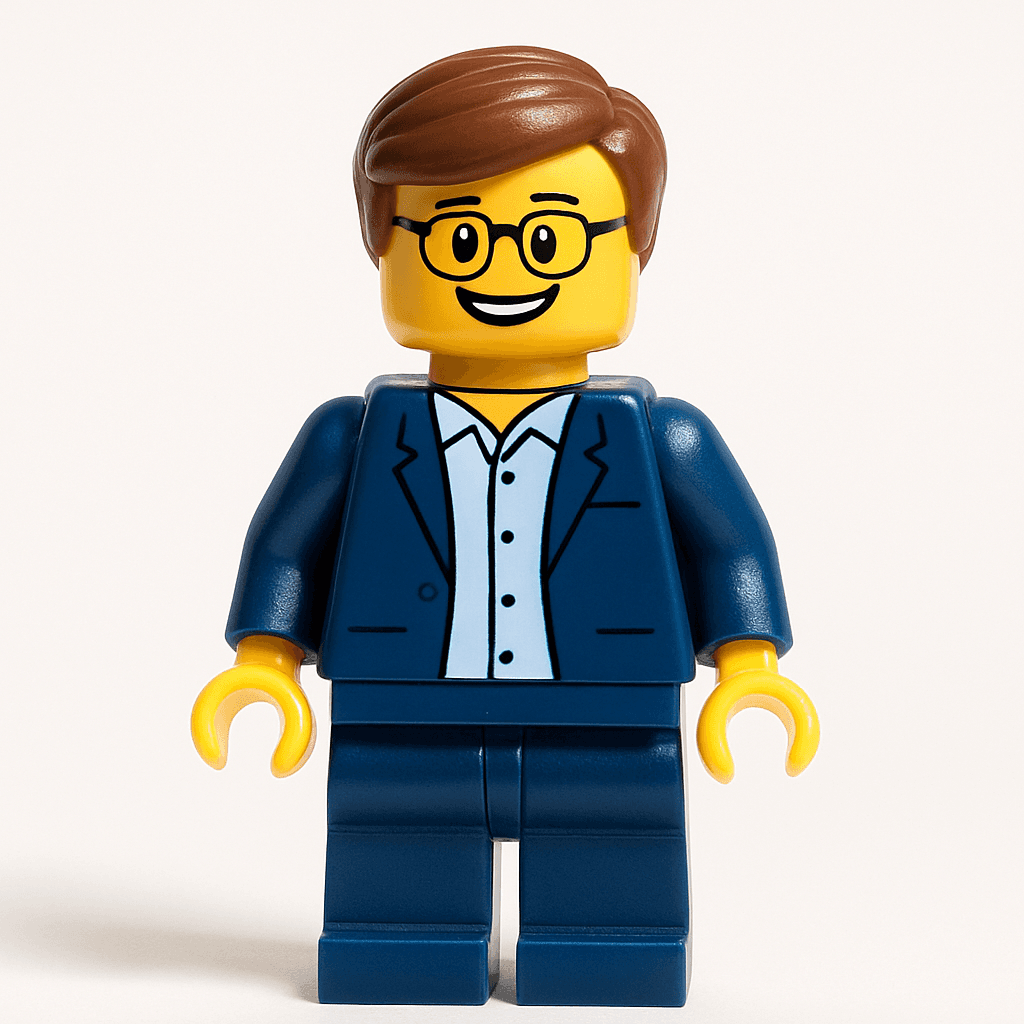
LEGO Minifigures have been a childhood staple since 1978 — those tiny, yellow-faced figures with cylindrical heads and blocky hands that sparked countless imaginations. Now, thanks to AI, you can turn yourself into one in under 60 seconds. No plastic required, no design skills needed, and no credit card necessary for your first try.
MiniFigureAI uses a custom-trained AI model to analyze your photo — capturing your facial features, hairstyle, clothing, and expression — and reimagines you as a fully-realized LEGO Minifigure. The result is a personalized, high-resolution avatar that captures the iconic LEGO minifigure aesthetic. Whether you want to "turn me into a LEGO minifigure" for a profile picture, a gift, or pure nostalgia, this guide walks you through the entire process from upload to download.
The whole process takes about 60 seconds. There's nothing to install, no app to download, and no special technical knowledge required. Just a photo, a browser, and a minute to spare.
What You'll Need
- A photo — a selfie, portrait, or group shot (JPG, PNG, or WEBP up to 30MB)
- A web browser (Chrome, Safari, Firefox, or Edge — any device works)
- About 60 seconds
Step-by-Step Guide
- 1
Go to minifigureai.com
Open your browser and navigate to minifigureai.com. No sign-up or account is required for your first free avatar — you can start immediately. The homepage has a prominent upload area waiting for you. - 2
Upload your photo
Drag and drop a photo onto the upload area, click to browse your files, or on mobile tap the upload button to access your camera roll. The best photos are well-lit selfies or portraits where your face is clearly visible. JPG, PNG, and WEBP files up to 30MB all work perfectly. - 3
Select the Minifigure style
In the style picker, choose "Minifigure" from the available options. This is the LEGO brick-form style that transforms you into that iconic yellow-faced, cylindrical-headed character. You can also browse 50+ other styles if you want to compare — but for the classic LEGO look, Minifigure is your pick. - 4
Wait about 30 seconds
Hit generate and let the AI work its magic. The model analyzes your photo — reading your facial structure, expression, hair color, and clothing — and reimagines every detail in LEGO Minifigure form. Most generations complete in 20–40 seconds. You'll see a progress indicator while it processes. - 5
Download and share your Minifigure
Your LEGO Minifigure avatar is ready. Download it directly as a high-resolution PNG, share it straight to social media, or save it to your MiniFigureAI dashboard if you've created a free account. The image is print-ready and optimized for profile pictures, social sharing, and digital use. Want to try other styles? Your uploaded photo stays available — just select a different style and generate again. Explore all Minifigure options to find your favorite look.
Tips for the Best Results
- Use good lighting. Natural daylight or a well-lit indoor shot works great. Avoid dark, backlit, or heavily shadowed photos — the AI needs to clearly see your facial features, hair color, and skin tone to produce an accurate Minifigure likeness.
- Face the camera directly. The Minifigure aesthetic is inherently frontal and symmetrical. A straight-on shot gives the AI the most facial detail to work with. Extreme side profiles or heavily angled shots can produce less precise resemblance.
- Use a simple background. A plain wall, a neutral outdoor setting, or a clean backdrop helps the AI focus on you rather than competing visual elements. Simple backgrounds consistently produce cleaner, more accurate transformations.
- Solo photos give the sharpest likeness — but groups work too. A single subject gives the AI maximum detail and produces the most accurate Minifigure resemblance. Couples, families, and friend groups generate well, but individual likenesses may be slightly less precise in large group shots where each face is smaller.
- Wear something distinctive. Your clothing details — a favorite jacket, a team shirt, a bold pattern, or recognizable colors — often translate directly into your Minifigure's torso print. Wearing something with personality gives your avatar more character and makes the result feel uniquely yours.
Classic Minifigure style — the signature LEGO look
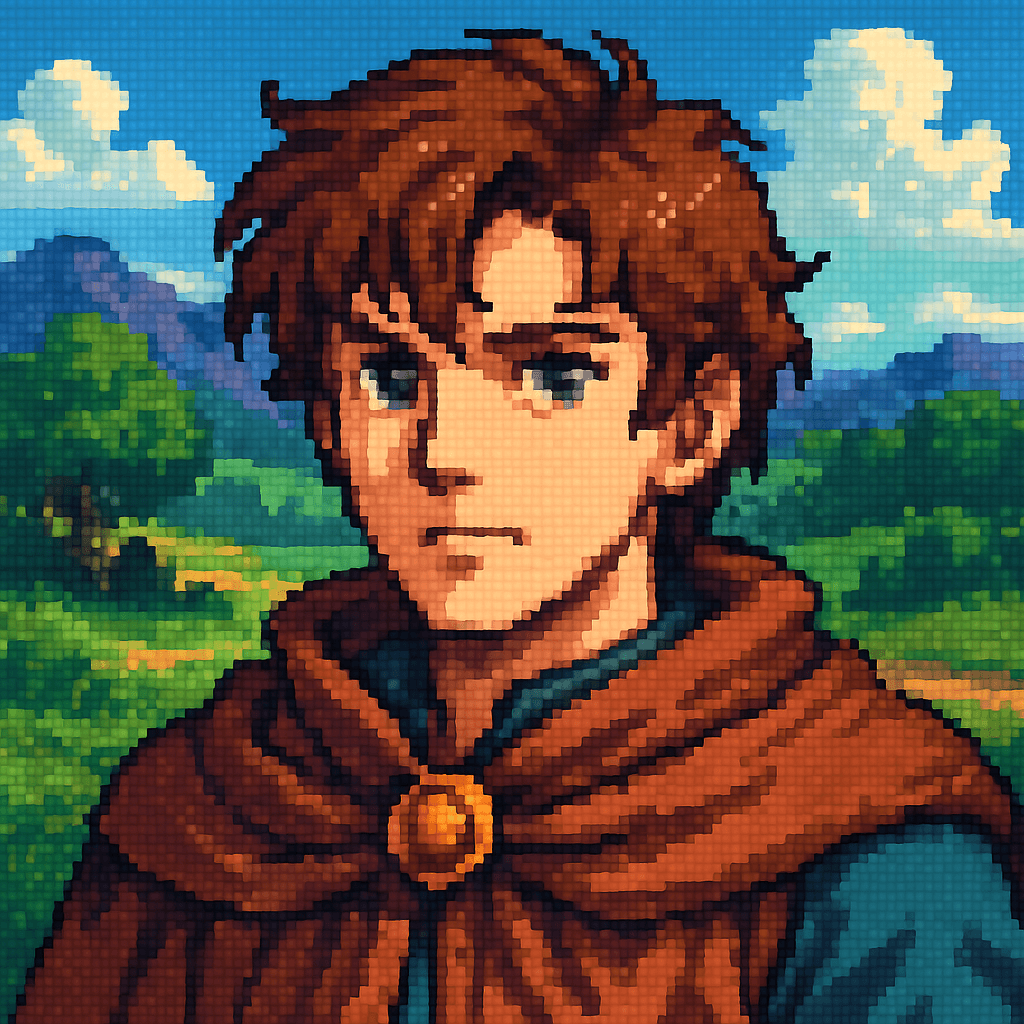
Pixel Art style — another retro favorite
What People Use Their Minifigure Avatars For
Once you have your LEGO Minifigure avatar, the creative uses are surprisingly broad. Here's what the MiniFigureAI community does with theirs:
Profile Pictures
LinkedIn, Instagram, WhatsApp, Discord, Slack, Twitter/X — a Minifigure avatar is immediately recognizable and universally loved. It stands out in any feed, sparks conversations, and communicates personality in a way that a standard headshot simply cannot. Many users report it's the most-commented profile picture they've ever used.
Personalized Gifts
A custom Minifigure avatar makes an unforgettable, genuinely personal gift for almost any occasion — birthdays, graduations, Father's Day, retirement parties, and Christmas. Print it as a framed poster, add it to a custom card, or turn it into a phone case. It's the kind of thoughtful gift that's impossible to find in a store. See our guide on personalized avatar gifts for ideas.
Social Media Content
AI transformation reveals are a massive trend on TikTok and Instagram — showing the original photo next to the Minifigure result generates strong engagement and shares. The before-and-after format is instantly compelling. YouTube thumbnails, Twitter/X reaction images, and Instagram carousels all benefit from the bold, eye-catching look of Minifigure-style art. Check out our TikTok avatar transformation guide for tips on getting the most viral content from your avatar.
Team Building and Company Culture
One of the most popular use cases for MiniFigureAI: companies turn their entire team into Minifigures for their "About Us" page, Slack workspace avatars, email signatures, or company swag. There's something universally delightful about seeing your colleagues in brick form — it humanizes the team, reinforces a playful culture, and makes onboarding new employees more memorable. Read more in our team building Minifigures guide.
Beyond Minifigures — 50+ Styles to Explore
The Minifigure style is our most iconic — but it's just one of 50+ AI avatar styles available on MiniFigureAI. After you've turned yourself into a LEGO character, explore these other fan favorites:
- Pixar — expressive 3D character style inspired by Pixar films
- Studio Ghibli — soft, painterly art in the style of Miyazaki's beloved films
- Minecraft — blocky voxel character style for fans of building games
- Pixel Art — retro 8-bit and 16-bit inspired character design
- Disney — classic Disney animated character aesthetics
- Star Wars — join the galaxy far, far away in iconic Star Wars style
Every style uses the same simple process: upload your photo, select a style, and your avatar is ready in seconds. Your uploaded photo stays on file so you can generate multiple styles without re-uploading.
Frequently Asked Questions
Is it really free to turn myself into a LEGO minifigure?
Yes — your very first avatar is completely free with no credit card required. Create a free account and you also receive 3 additional credits to use on any style. After that, credit packages start at $2.99 and never expire.
How long does it take to turn a photo into a LEGO minifigure?
The entire process takes about 60 seconds from start to finish. Upload your photo, select the Minifigure style, hit generate, and your LEGO avatar is ready to download in 20–40 seconds.
What photo formats does MiniFigureAI accept?
MiniFigureAI accepts JPG, PNG, and WEBP files up to 30MB. Standard smartphone photos and selfies work perfectly without any resizing, editing, or conversion needed.
Can I use someone else's photo to turn them into a LEGO minifigure?
Yes, with their consent. Creating a Minifigure avatar of a friend, family member, or colleague makes for a genuinely unique personalized gift — just ensure you have permission to use their likeness before generating.
Do I need to download an app to turn myself into a LEGO character?
No app download is required. MiniFigureAI runs entirely in your web browser on desktop, tablet, or mobile. Just visit minifigureai.com and start creating immediately — no installation, no account required for your first free avatar.
Ready to Become a Minifigure?
Upload your photo now — it's free. No app download required. No account needed for your first avatar. Your LEGO Minifigure is ready in under 60 seconds.
Try It Free — Turn Me into a MinifigureNo credit card required · First avatar is free
MiniFigureAI is an independent product and is not affiliated with, endorsed by, or sponsored by LEGO Group, Disney, Pixar, Lucasfilm, Nintendo, Mojang Studios, Marvel, DC Comics, Studio Ghibli, or any other brand mentioned on this page. All trademarks belong to their respective owners. Avatars are AI-generated artwork inspired by popular art styles.